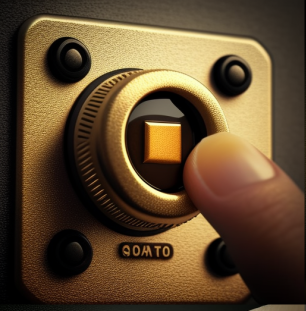
Even push-button manufacturers will never stop innovating !
Nothing is simpler than pressing a push-button, or activating a manual control. Does this elementary and barely conscious act deserve the attention of innovators? Why not relegate these objects to the vintage catalogue of 20th century technologies, when each of us carries a touch screen in the pocket? When the metaverse industry is preparing a revolutionary user experience in a virtual or augmented world?
The push button, and by extension any manual control, has a bright future, provided we take a fresh look at this everyday object. A few clues led us to suspect that manual control would never be a bygone technology:
- Researchers have observed that human beings decide more quickly when faced with a manual control than with a touch screen.
- Computers and telephones have generally kept an “on-off” button. Microsoft has tried to remove it, but without success.
- Touch screens have haptic feedback, which sends an impulse back to the fingers that gives the illusion that we have activated a manual button.
To convince us, let us break down the mundane sequence of “triggering a manual control”. Although it often lasts a fraction of a second, it is made up of about ten sequences. The table lists these sequences, and illustrates the possible modalities and problems that a user may face.
| Sequence | Modality | Problems encountered |
|---|---|---|
| 1. I can locate the control at first glance | • Button in a different color from the base • Backlit button | • On-off buttons on the edge, or on the back of flat screens. |
| 2. The control is easy to reach | • Placement on the steering wheel, dashboard, rear view mirror | • Frequent use button too distant from the user (car radio controls) |
| 3. I understand what the control is for | • Red, visible emergency stop button on industrial machinery • Single button on the train door, which lights up when the train is at the platform. | • Unusual pictogram which is misunderstood. • Several similar lightning controls side by side on a wall. • Buttons that are used for several controls, depending on the activation of other buttons (central heating boiler controls). |
| 4. I understand how to use this button | • Long press • Giving a single push • Tilt the lever | • Shapes, colors, materials indicate the grip area of the control (soft touch elastomer) • The round shape of the knob wrongly suggests that it should be turned, not pressed. • After turning the knob to select a mode in a menu, the center must be pressed to confirm the choice. |
| 5. I understand when the button is “on” or “off” | • Resistance to finger pushing. • Green or red color • On-off indicator placed on the control panel | • No visual feedback on the activation status, neither on the screen nor on the position of the button. |
| 6. I can easily adjust if the button has a scale | • Car windscreen wiper with several speeds • Floor lamp with dimmer switch | Understanding the degrees of adjustment (rotating buttons for selecting washing machine programs). |
| 7. The movements to reach the button are natural | • Number of body muscles involved. | • Activating the horn on the steering wheel. • Opening the front bonnet of the car |
| 8. I know when and how to stop pressing the button | • Feel reassured that the command has been sent. | • No signal (noise, haptic, light) to confirm that the command has been sent. |
| 9. I trust this button | • Overall assessment of the clarity of the function, accessibility, speed between release and activation of the function, and reliability. | • One minute delay between the activation of the car seat heating mat and the feeling of warming up by the body. |
| 10. The use of the button is pleasant and rewarding | • Overall appreciation of the harmony of the visual aspect, colors and materials, sound, haptics, signal feedback. | • Style mismatch between the push button and the home lighting equipment |
The combination of push button experiences that can be provided to the user is infinite. Risks of generating a disappointing user experience remain high also, especially in the critical phase of first usage.
The potential for creating value from manual control exists, if we restore the product to its full sensory, intuitive dimension, with the aim of increasing the user’s sense of mastery over the machine.
This is not insignificant, given the efforts of employers to attract, recruit and train workshop personnel capable of operating increasingly complex machines.
In the face of incantations about the irresistible rise of digitalization and virtualization, manufacturers of equipment with human-machine interfaces can, if they wish, take the offensive and revisit the subject, by adding to their product expertise new skills in industrial design, marketing, ergonomics, to help with diagnosis and informed decision-making by the operator.
This requires a shift of purpose: instead of proposing ever more complex and capable systems, helping everyday users to master quickly the complex system they use daily.
Geoffroy de Grandmaison
GdeG Consulting